0

Author: |
David Ringstrom, CPA |
Course Length: |
Pages: 3 ||| Review Questions: 6 ||| Final Exam Questions: 10 |
CPE Credits: |
2.0 |
IRS Credits: |
0 |
Price: |
$29.95 |
Passing Score: |
70% |
Course Type: |
Video |
Technical Designation: |
NonTechnical |
Field Of Study: |
Computer Software & Applications |
Approved Audience: |
NASBA QAS - NASBA Registry |
Key Takeaways: |
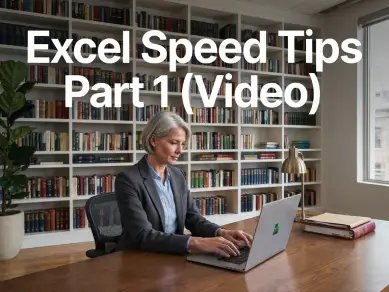
This course teaches practical Excel speed tips from CPA David Ringstrom to help professionals navigate, format, and analyze data more efficiently in Excel.
|
Frequently Asked Questions: |
|
Description: |
In this presentation, CPA and author of "Microsoft 365 Excel for Dummies" David Ringstrom shares a wide range of practical speed tips designed to help you work more efficiently in Excel. David demonstrates techniques for navigating worksheets more quickly, preventing accidental file closures, and closing all workbooks at once. You’ll learn how to streamline everyday tasks using the Search feature, customizing the Quick Access Toolbar, freezing panes, and applying rapid formatting shortcuts. David also covers powerful keyboard techniques, the Format Painter double-click trick, and methods for accelerating data analysis with filtering tools, Subtotals, tables, and slicers. The session concludes with ways to generate charts faster, including Recommended Charts and self-expanding charts that update automatically as your data grows. David H. Ringstrom, CPA, has more than 30 years of experience as a spreadsheet and accounting software consultant and speaker. He has presented over 2,500 live webinars and is the author or co-author of ten books, including “Microsoft 365 Excel All-in-One for Dummies”, “Microsoft 365 Excel for Dummies”, “Exploring Microsoft Excel’s Hidden Treasures”, and “QuickBooks Online for Dummies”. In his webinars, David demonstrates every technique twice: first on a PowerPoint slide with numbered steps, and then live in Excel for Microsoft 365 for Windows. He highlights any differences in Excel 2024, 2021, or 2019 during the presentation and in his detailed handouts. Attendees also receive an Excel workbook containing most of the examples he uses, making it easy to follow along and apply the techniques later. David additionally supports Excel for Mac users by answering their follow-up questions via email. |
Usage Rank: |
20000 |
Release: |
2026 |
Version: |
1.0 |
Prerequisites: |
Prior experience with Microsoft Excel is recommended. |
Experience Level: |
Overview |
Additional Contents: |
Complete, no additional material needed. |
Additional Links: |
Internal: Text Manipulation Techniques in Excel Video CPE Course
Internal: Advanced Excel Skills for Accountants Video CPE Course
External: Microsoft Excel Overview and Features
External: Microsoft Support Using Flash Fill in Excel
|
Advance Preparation: |
None. |
Delivery Method: |
QAS Self Study |
Intended Participants: |
Anyone needing Continuing Professional Education (CPE). |
Revision Date: |
15-Aug-2026 |
NASBA Course Declaration: |
Participants must complete the final examination within one year of purchase and with a minimum passing grade of 70% or better to receive CPE credit unless otherwise noted on the Course History page (i.e. California Ethics must score 90% or better). After logging in click on the Course History links on your My Courses page for the Begin date and Expire date for the Final Exam. |
Keywords: |
Excel Speed Tips Part 1 (Video) - CPE course for CPAs |
Learning Objectives: |
Course Learning Objectives Upon completion of this course, participants will be able to do the following:
|
Course Contents: |
Chapter 1 - Excel Speed Tips Part 1 Chapter 1 Review Questions Key Terms |







 Login/Register